
How to Switch Between NPS Fund Options in India: Step-by-Step Guide
 Jul, 1 2026
You have been contributing to your National Pension System (NPS) for years, but are you sure your money is working as hard as it should? Many investors stick with the default settings simply because they don't know how to change them. The good news is that switching between NPS fund options is straightforward, free, and can significantly impact your retirement corpus.
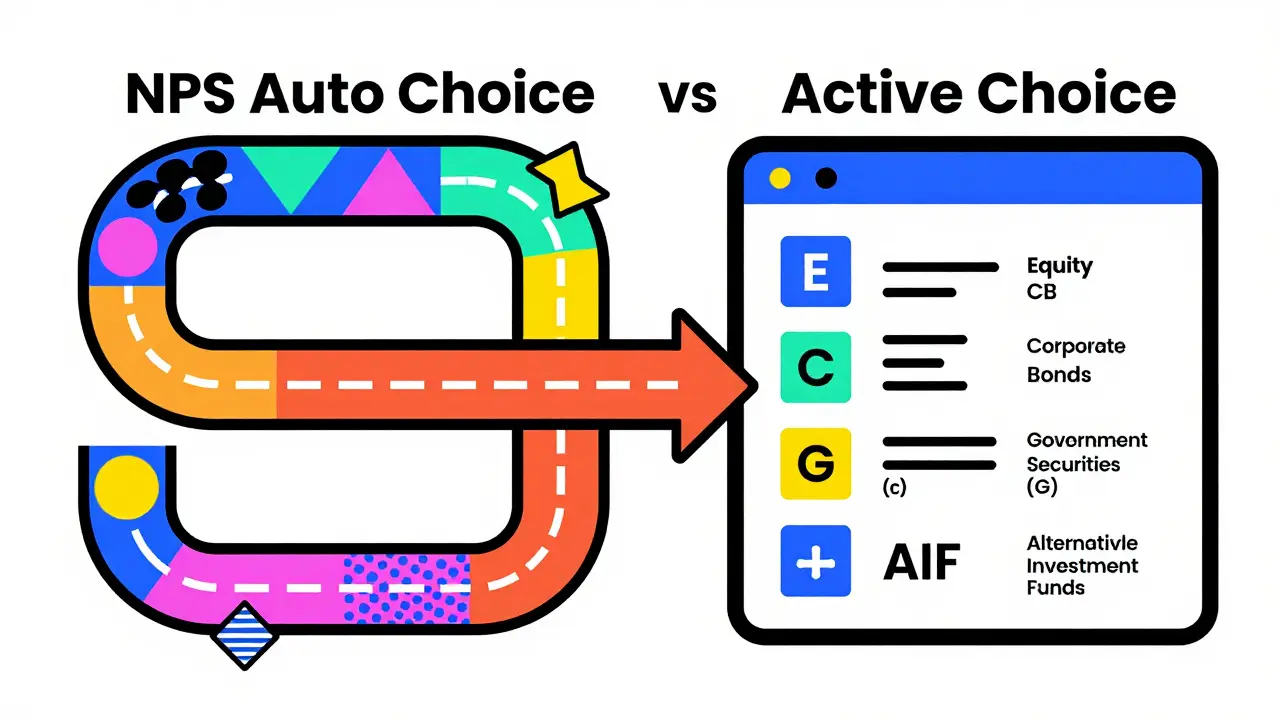
If you are currently on the Auto Choice option, your money is allocated based on your age. While this is safe, it might not align with your personal risk appetite or market outlook. By moving to Active Choice, you take control of where your contributions go-whether into equity, corporate bonds, government securities, or alternative assets. This guide walks you through exactly how to make that switch using the official digital platforms available in India today.
Understanding Your Current NPS Allocation
Before you click any buttons, you need to understand what you are moving away from. When you open a Tier 1 account, the system defaults you to one of two paths: Auto Choice or Active Choice. Most people start in Auto Choice without realizing it.
In the Auto Choice mode, the allocation is rigidly tied to your age. If you are under 35, 75% of your contribution goes to Equity (E), 15% to Corporate Bonds (CB), and 10% to Government Securities (G). As you age, the equity portion drops automatically. For someone aged 50+, the equity share falls to just 50%. This "glide path" is designed to reduce risk as you near retirement, but it removes your ability to capitalize on market upswings if you believe the equity market will perform well.
The Active Choice option gives you the steering wheel. You decide the percentage split. However, there are regulatory limits set by the Pension Fund Regulatory and Development Authority (PFRDA). You cannot put 100% of your money into high-risk equity funds unless you meet specific criteria. Understanding these constraints is crucial before you attempt to switch.
Who Can Switch and What Are the Limits?
Not everyone can allocate their entire portfolio to equities. The PFRDA has set clear caps to protect retail investors from excessive volatility. Here is how the allocation rules work for Active Choice:
- General Category: You can invest up to 75% in Equity (E). The remaining 25% must be distributed among Corporate Bonds (CB), Government Securities (G), and Alternative Investment Funds (AIF).
- Central Government Employees: The cap is lower, at 50% for Equity.
- State Government Employees: Similar to central employees, the limit is often capped at 50% for Equity, depending on specific state policies.
- Defence Forces Personnel: They also fall under the 50% equity cap.
It is important to note that the sum of all allocations must equal 100%. You cannot leave money unallocated. Also, while you can switch between Auto and Active modes freely, changing your asset allocation within Active Choice is subject to frequency limits. You can typically change your allocation once every 30 days. This prevents frequent trading which could incur unnecessary administrative overheads, although the switch itself remains free of charge.
Choosing the Right Fund Managers
Switching isn't just about percentages; it is also about picking the right vehicle. In NPS, your money is managed by Pension Fund Managers (PFMs). There are eight approved PFMs in India, including SBI Pension Funds, HDFC Pension Management, ICICI Prudential Pension Funds, and Kotak Mahindra Pension. Each PFM offers three types of funds:
- Equity Linked Fund (E): Invests in stocks. High risk, high potential return.
- Corporate Bond Fund (CB): Invests in debt instruments issued by companies. Moderate risk, moderate returns.
- Government Security Fund (G): Invests in government bonds. Low risk, stable returns.
- Alternative Investment Fund (AIF): A newer category allowing investment in infrastructure debt, REITs, and InvITs. Limited to a maximum of 25% of your total portfolio.
When you switch to Active Choice, you select one PFM for each asset class. For example, you might choose SBI for your Equity portion, HDFC for Corporate Bonds, and LIC for Government Securities. This diversification across managers can help mitigate manager-specific risks. However, for simplicity, many investors stick to a single PFM for all classes to avoid fragmentation.
Step-by-Step Process to Switch via NSDL CRA Portal
The most common way to manage your NPS is through the Central Recordkeeping Agency (CRA) portal operated by NSDL. Here is the exact process to switch your fund options:
| Step | Action | Details |
|---|---|---|
| 1 | Login | Visit the NSDL CRA website and log in using your Permanent Retirement Account Number (PRAN) and password. |
| 2 | Navigate to Services | Click on the "Services" tab in the main menu. Select "Asset Allocation Change" from the dropdown. |
| 3 | Select Mode | Choose "Active Choice" if you want to customize. If you were previously in Active Choice, you will see your current allocation. |
| 4 | Set Percentages | Enter the desired percentage for Equity, Corporate Bond, Government Security, and AIF. Ensure the total is 100%. |
| 5 | Select PFMs | For each asset class, select your preferred Pension Fund Manager from the list. |
| 6 | Authenticate | Submit the request. You will receive an OTP on your registered mobile number. Enter it to confirm. |
| 7 | Confirmation | You will receive an email confirmation. The new allocation applies to future contributions only. |
Note that this process takes effect immediately for your next contribution. Past contributions remain invested in the previous scheme. This is a critical point to remember: switching does not redeem and reinvest your existing corpus. It only directs the flow of new money.
Switching via Mobile Apps: NPS Mitra and Others
If you prefer managing your finances on the go, several apps allow you to switch fund options. The NPS Mitra app by NSDL is the official application. Additionally, many banks like SBI YONO, HDFC Bank NetBanking, and ICICI iMobile offer integrated NPS services.
The steps are similar to the web portal but optimized for touch screens. Open the app, navigate to the NPS section, and look for "Change Asset Allocation." The interface usually provides sliders or input fields for percentages. One advantage of mobile apps is the biometric authentication, which can be faster than waiting for an SMS OTP. However, ensure your app is updated to the latest version to avoid security vulnerabilities or UI bugs.
Common Pitfalls and How to Avoid Them
Even though the process is simple, investors often make mistakes that hurt their returns. Here are the most common errors:
- Ignoring the 30-Day Rule: You cannot change your allocation more than once every 30 days. If you try to switch again too soon, the system will reject the request. Plan your changes carefully.
- Chasing Past Performance: Just because a PFM performed well last year doesn't mean it will do so next year. Look at consistent long-term performance over 5-10 years rather than short-term spikes.
- Overlooking Tax Implications: While switching funds is not a taxable event, withdrawing money before age 60 is. Do not confuse fund switching with premature withdrawal.
- Failing to Diversify Across PFMs: Putting all your eggs in one basket (one PFM) can be risky if that manager underperforms. Consider splitting your equity and debt portions across different reputable managers.
When Should You Switch?
There is no one-size-fits-all answer to when you should switch. However, consider reviewing your allocation annually or during major life events. For instance, if you recently got married, had a child, or bought a home, your risk tolerance might have changed. Similarly, if the market has seen a significant correction, you might want to increase your equity allocation to benefit from the dip, provided you have a long time horizon.
Another trigger is a change in employment status. If you move from the private sector to a government job, your eligibility for equity allocation might change. Always verify your category with your employer's HR department or the CRA portal to ensure you are complying with the correct caps.
Impact on Your Retirement Corpus
Let's look at a practical example. Suppose you contribute ₹10,000 per month for 20 years. If you stay in Auto Choice, your equity exposure decreases over time. If you actively maintain a higher equity allocation (within limits) during your younger years, the power of compounding works in your favor. Equity markets historically outperform debt over long periods. By staying invested in equities longer than the auto-glide path suggests, you could potentially boost your final corpus by 10-15%, assuming average market returns.
However, this comes with volatility. Your account balance may fluctuate more widely. You must be comfortable with seeing temporary dips in your portfolio value. If market crashes cause you anxiety, sticking to Auto Choice or a conservative Active allocation might be better for your mental peace.
Troubleshooting Common Issues
Sometimes, the switch doesn't go smoothly. Here are solutions to frequent problems:
- OTP Not Received: Check your network signal. Ensure your registered mobile number is active. If the issue persists, update your contact details via the CRA portal first.
- Allocation Error: The system will flag an error if your percentages do not add up to 100% or exceed the allowed caps. Double-check your inputs.
- PFM Not Available: Some PFMs may not offer all asset classes. If a PFM is unavailable for a specific class, select another manager.
- Portal Downtime: The CRA portal occasionally undergoes maintenance. Try again later or use the mobile app as an alternative.
Is there any fee for switching NPS fund options?
No, there is no transaction fee for switching between fund options or changing asset allocation in NPS. The process is completely free. However, remember that you can only change your allocation once every 30 days.
Does switching funds affect my past investments?
No, switching only affects future contributions. Your existing corpus remains invested in the previous schemes. To reallocate past investments, you would need to wait until maturity or seek specific redemption permissions, which are generally not allowed before retirement age.
Can I switch back to Auto Choice after being in Active Choice?
Yes, you can switch back to Auto Choice at any time. The system will then reallocate your future contributions based on your current age according to the predefined glide path.
What happens if I don't select a PFM for a specific asset class?
The system will not allow you to submit the request if any asset class with a non-zero allocation lacks a selected PFM. You must assign a Pension Fund Manager to every category where you allocate funds.
How long does it take for the new allocation to reflect?
The change is effective immediately for your next contribution. If you contribute monthly, the very next installment will be split according to your new percentages. You can verify this in your statement after the contribution is processed.