
How to Recover Crypto Wallets from Seed Phrases: Derivation Paths & Formats Explained
 Jun, 12 2026
Why Your Seed Phrase Isn't Enough
You have the twelve words written on a piece of paper. You sit down to restore your wallet after switching computers or upgrading hardware. You type in the words exactly as they appear. The software spins for a moment... and then shows you a balance of zero.
Panic sets in. Did you lose everything? Was it a scam? No. Your funds are likely still there, sitting on the blockchain, but you are looking at the wrong door.
The problem isn't your seed phrase. The problem is that a seed phrase is just a master key. It doesn't tell the wallet which specific keys to generate first. That instruction comes from something called a derivation path. If you pick the wrong path, or the wrong seed format, the wallet generates a completely different set of addresses-empty ones-and leaves your actual funds hidden behind a different branch of the tree.
Understanding the HD Wallet Tree
To fix this, we need to understand how modern wallets work. Most crypto wallets today are Hierarchical Deterministic (HD) wallets, based on a standard called BIP32. Think of an HD wallet like a massive family tree.
Your seed phrase is the root of that tree. From that single root, the wallet can generate millions of unique private keys and public addresses. This is great for security because one backup covers everything. But it creates a puzzle during recovery: if the tree has millions of branches, how does the new wallet know which branch holds your money?
This is where the derivation path comes in. A derivation path is a specific address within that tree. It looks like a string of numbers separated by slashes, such as m/44'/0'/0'/0/0. Each number tells the wallet where to go:
m: Represents the master key (your seed).44': Indicates the purpose (BIP44 standard).0': Specifies the coin type (0 for Bitcoin, 60 for Ethereum, etc.).0': The account index (allowing you to have multiple accounts from one seed).0: The change chain (0 for receive addresses, 1 for change addresses).0: The specific address index (the first address generated).
If you enter your seed into a wallet and it defaults to path m/84'/0'/0' (Native SegWit), but your original wallet used m/49'/0'/0' (P2SH-SegWit), the new wallet will look at empty addresses while your funds sit safely on the P2SH addresses. They are derived from the same seed, but they live in different neighborhoods.
Seed Formats: BIP39 vs. Proprietary Systems
Before worrying about the path, you must ensure the wallet understands the language of your seed. Not all seeds are created equal. The industry standard is BIP39, a protocol that defines how to create a mnemonic code (seed phrase) from entropy. Most major wallets like Ledger, Trezor, and MetaMask use BIP39.
However, some older or specific wallets use their own formats. For example, Electrum originally used its own non-BIP39 seed format. If you try to restore an Electrum-native seed into a BIP39-only wallet, it won't work. Conversely, if you try to restore a BIP39 seed into Electrum without telling it so, Electrum might misinterpret the words.
When restoring in flexible wallets like Electrum, you often see a checkbox labeled "BIP39" or "Standard." You must check this box if your seed came from a standard wallet like Mycelium, Blockchain.com, or a hardware device. If you leave it unchecked, the software applies its own internal logic, resulting in incorrect keys.
Watch out for formatting quirks too. Some older wallets, like Bither, used hyphens between words instead of spaces. When pasting these into a modern wallet, you usually need to replace those hyphens with spaces before the software recognizes the phrase.
Step-by-Step Recovery Guide
Recovering a wallet is rarely a one-click process if you don't know the exact history of the original wallet. Here is a practical workflow to maximize your chances of success.
1. Identify the Original Wallet
If you remember which app or device you used originally, start there. Check online resources like the WalletsRecovery, a community-maintained database listing derivation paths and recovery methods for various cryptocurrency wallets. website. This directory lists the default derivation paths for hundreds of wallets. Knowing that "Wallet X uses m/44'/0'/0'" saves you hours of guessing.
2. Choose the Right Software
Use a reputable, open-source desktop wallet like Electrum or Sparrow Wallet for recovery attempts. These tools allow you to manually adjust settings that mobile apps often hide. Avoid entering your seed into any web-based "recovery tool" found via search engines; these are frequent phishing traps.
3. Enter the Seed and Select Format
Select "I already have a seed." Enter your words carefully. If the software asks if the seed is BIP39 compliant, select "Yes" unless you are certain it is a proprietary format (like old Electrum). If you are unsure, try both options in separate test files.
4. Adjust the Derivation Path
If the initial scan shows zero balance, do not give up. Look for an option to "Change Derivation Path" or "Advanced Options." Try the most common Bitcoin paths:
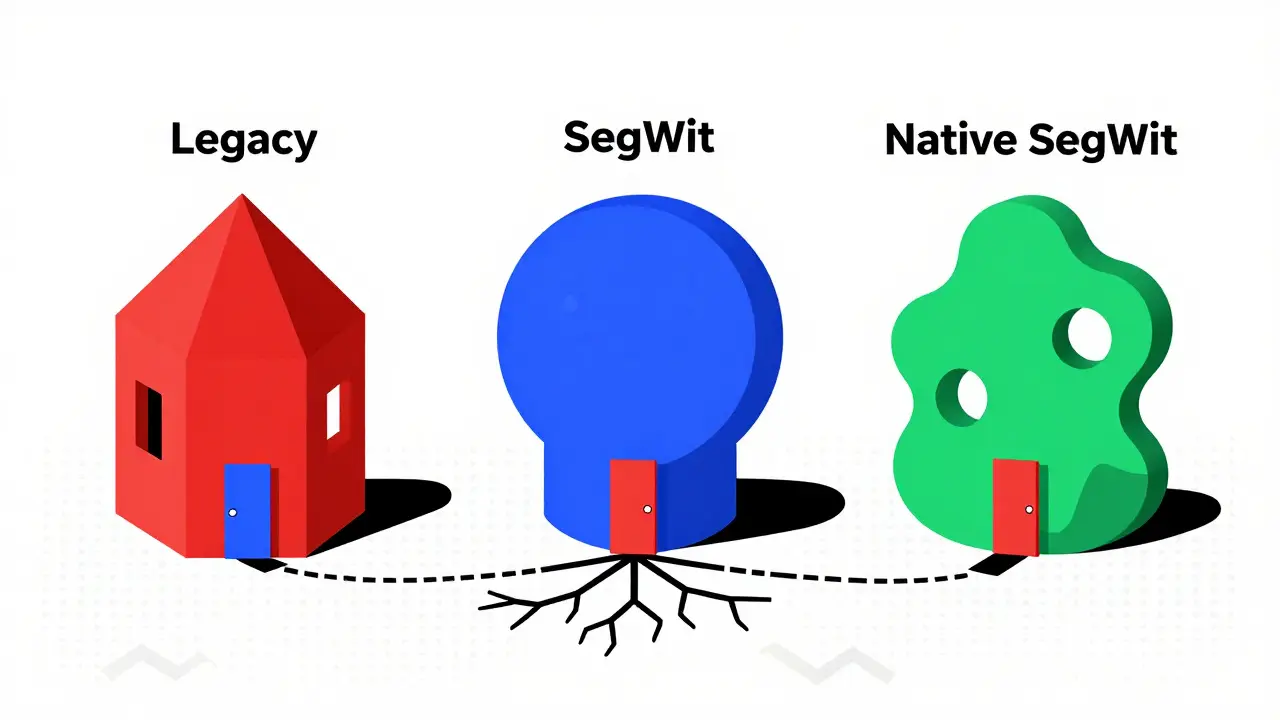
m/44'/0'/0'(Legacy / P2PKH - Addresses starting with '1')m/49'/0'/0'(P2SH-SegWit - Addresses starting with '3')m/84'/0'/0'(Native SegWit - Addresses starting with 'bc1')
For Ethereum, the standard is typically m/44'/60'/0'/0. Note that Ethereum paths often lack the apostrophes (hardened keys) in the final segments compared to Bitcoin.
5. Check Account Indices
Did you create multiple accounts in your original wallet? The third number in the path represents the account index. If m/44'/0'/0' is empty, try m/44'/0'/1', then 2', and so on. Each increment checks a new account derived from the same seed.
The Gap Limit Problem
Even with the correct path, you might see an empty wallet. Why? Because of the "gap limit."
HD wallets don't store every possible address. They generate them on the fly. To save time and bandwidth, wallets only scan the first 20 unused addresses in a sequence. If you generated 25 receive addresses in your old wallet but only used the first 5, a new wallet scanning the first 20 might stop before hitting the 25th address where you accidentally sent funds. Or, more commonly, if you exported addresses far ahead in the sequence, the scanner stops early.
If you suspect this, increase the gap limit in your wallet's settings (if available) or manually derive the specific address index where you believe the funds are. In Electrum, you can sometimes force a rescan or manually add known addresses to the watch-only list to trigger a balance update.
| Address Type | Prefix | Derivation Path | BIP Standard |
|---|---|---|---|
| Legacy (P2PKH) | 1... | m/44'/0'/0' | BIP44 |
| Nested SegWit (P2SH) | 3... | m/49'/0'/0' | BIP49 |
| Native SegWit (Bech32) | bc1... | m/84'/0'/0' | BIP84 |
| Taproot | bc1p... | m/86'/0'/0' | BIP86 |

Best Practices for Future Security
The frustration of recovery highlights a critical flaw in how many people back up their crypto. Writing down twelve words is no longer enough. To ensure you can recover your assets five years from now, follow these rules:
- Record the Metadata: Alongside your seed phrase, write down the wallet name, version, and the derivation path used. A simple note saying "Ledger Nano S, Bitcoin Native SegWit" is invaluable.
- Use Passphrases Carefully: Many wallets offer a 24th word (passphrase). This adds a layer of security but makes recovery nearly impossible if lost. If you use a passphrase, store it separately from the seed. Do not rely on memory.
- Test Your Backup: Send a small amount of crypto to your wallet. Then, wipe the wallet and restore it from your seed on a different device. Verify the funds appear. This confirms your path and format knowledge is correct.
- Stick to Standards: Whenever possible, use wallets that adhere strictly to BIP39/BIP44 standards. Proprietary formats die when companies shut down.
FAQ
Can I recover my wallet if I forgot the derivation path?
Yes, but it requires trial and error. You will need to try the most common derivation paths (m/44', m/49', m/84') and potentially increment the account index (0', 1', 2'). Tools like Electrum allow you to manually change these paths. If you know the original wallet brand, check databases like WalletsRecovery to find its default path.
Why does my restored wallet show a zero balance?
A zero balance usually means the wallet is deriving addresses from the wrong branch of the key tree. This happens if the derivation path or seed format (BIP39 vs. proprietary) is incorrect. It can also happen due to the "gap limit," where the wallet stops scanning after 20 unused addresses. Ensure you are using the correct path for the address type (Legacy, SegWit, etc.) you originally used.
What is the difference between BIP39 and other seed formats?
BIP39 is the industry standard for generating mnemonic seed phrases from random entropy. It ensures compatibility across most modern wallets. Other formats, like the original Electrum seed format, use different mathematical processes to generate keys. Entering a BIP39 seed into a wallet expecting a proprietary format (or vice versa) will result in incorrect private keys and inaccessible funds.
Should I write down the derivation path with my seed?
Absolutely. The seed phrase is the root, but the derivation path is the map to your specific keys. Without the path, recovering funds from a different wallet application becomes a guessing game. Write down the wallet name, version, and the specific path (e.g., m/84'/0'/0') on your backup sheet.
Is it safe to enter my seed phrase into a desktop wallet for recovery?
It is generally safe if you use reputable, open-source software downloaded from official sources (like electrum.org or github repositories). Never enter your seed into a web browser, an unknown executable, or a "recovery service" online. Desktop wallets process the seed locally on your machine, keeping your private keys offline.